StarView turns Android phones into a pocket planetarium
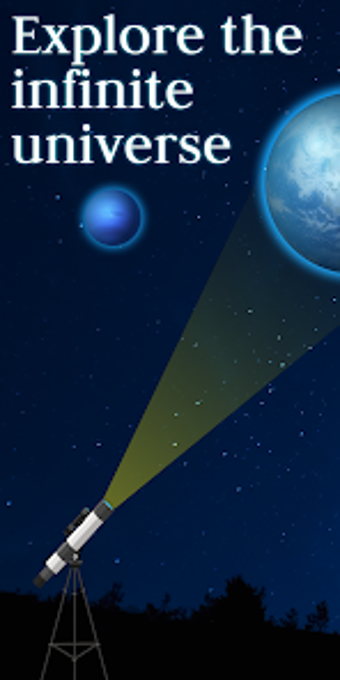
StarView: Sky Map Night View, developed by Mobile Clean System Lab, converts an Android device into a pocket planetarium for amateur astronomers, students, educators, and families. The app uses the device GPS and compass to provide a real-time augmented reality sky map, so users can point the phone at any patch of sky to identify stars, planets, constellations, and visible satellites. Key capabilities include satellite tracking, a Time Travel simulator, searchable celestial database, and a red Night Mode for outdoor observation.
What is StarView used for?
StarView is a location-aware observational aid that turns a mobile device into an augmented reality sky map by reading GPS and compass input. Pointing the device at the sky overlays labeled stars, constellations, planets, and satellites in sync with the user’s view. The app provides a searchable celestial database and supports offline use, which enables practical fieldwork away from city lights and cellular service.
How does it support self-directed astronomy learning?
The app supports experiential learning through live overlays and a Time Travel simulator that makes celestial motion visible across dates. High-quality constellation renderings help learners recognize patterns, while Night Mode reduces screen glare during observations. Satellite tracking, including the International Space Station, offers concrete, time-bound targets for short exercises that practice locating and following moving objects in the sky.
Is StarView suitable for complete beginners and young learners?
The point-at-sky interaction does not require prior astronomical training, so beginners and family groups can explore without complex setup. The target audience includes amateur astronomers, students, educators, and families. Functionality depends on a working magnetometer and GPS; alignment problems linked to magnetic interference require recalibration using the recommended figure-eight motion. Younger children benefit from adult guidance for device handling and calibration steps.
Can teachers structure lessons and measure student progress with it?
Teachers can use the app for live demonstrations and guided field exercises by assigning specific objects to find with the searchable database. The app does not provide built-in assessment tools or learner analytics, so formal progress measurement requires external records or worksheets. Its offline capability and modest resource needs make it feasible for outdoor class sessions across a range of Android devices, though lesson planning must supply assessment structure.
StarView is best for hands-on, observational astronomy sessions
StarView is a pragmatic choice for educators and learners seeking hands-on, observational astronomy experiences outdoors. Teachers can integrate it into short, task-based field exercises while using separate records for assessment. A practical tip is to set timed spotting challenges paired with simple worksheets to capture student responses. In sum, the app supports experiential sky study rather than formal curriculum assessment.
Pros
Real-time AR sky mapping tied to GPS and compass data
Searchable celestial database usable offline for field study
Night Mode reduces glare to preserve night vision
Satellite tracking includes visible objects such as the ISS
Cons
Requires a device with magnetometer and GPS
Alignment sensitive to magnetic interference, needs recalibration
No built-in learner analytics or assessment tools
Classroom use needs teacher-created assessment materials
Loading…
About permissions
Before downloading, you can take a quick look at the permissions this app may request on your device. App permissions allow certain features to work properly, such as accessing your camera to take photos, your location for maps, or your storage to save files.
In this section, you’ll find a clear and simple overview of the types of permissions the app uses, grouped by their level of sensitivity, along with a visual breakdown to help you understand them at a glance. This way, you can see how the app interacts with your device and decide to download with confidence.
Permissions types
Standard
60%
Non-standard
10%
Sensitive
30%
Permissions distribution
Privacy
40%
Data collected
40%
Data shared
20%
Data safety info
Privacy
4 permissions
Permissions that allow the app to access personal or sensitive information stored on your device, such as location, contacts, camera, or microphone.
android.permission.WAKE_LOCK
Standard
android.permission.WRITE_SETTINGS
Non-standard
android.permission.VIBRATE
Standard
android.permission.FOREGROUND_SERVICE
Standard
Data collected
4 permissions
Information the app may gather from your device or usage activity to enable features, personalize content, and improve overall performance.
android.permission.ACCESS_FINE_LOCATION
Sensitive
android.permission.ACCESS_NETWORK_STATE
Standard
android.permission.ACCESS_COARSE_LOCATION
Sensitive
android.permission.ACCESS_WIFI_STATE
Standard
Data shared
2 permissions
Information that may be shared with trusted third parties to provide services, support app functionality, or deliver relevant content.
android.permission.INTERNET
Standard
android.permission.POST_NOTIFICATIONS
Sensitive
This report summarises the permissions declared by the app at the time of scanning and groups them into Privacy, Data collected and Data shared. A declared permission shows what the app can access, it does not necessarily mean personal data is collected or transmitted. For full details check the app’s privacy policy and the developer’s clarifications shown below. Softonic generates this report automatically from the package metadata; it is informational and not a substitute for a full security or privacy audit.
Laws concerning the use of this software vary from country to country. We do not encourage or condone the use of this program if it is in violation of these laws. Softonic may receive a referral fee if you click or buy any of the products featured here.